Planilla de Solicitud de Visa Venezuela
When Cancillería Digital asks for the official planilla de solicitud de visa, use this page as your map. The free generator opens with English prompts on screen and prints a Spanish-labelled PDF for your Venezuela visa file.
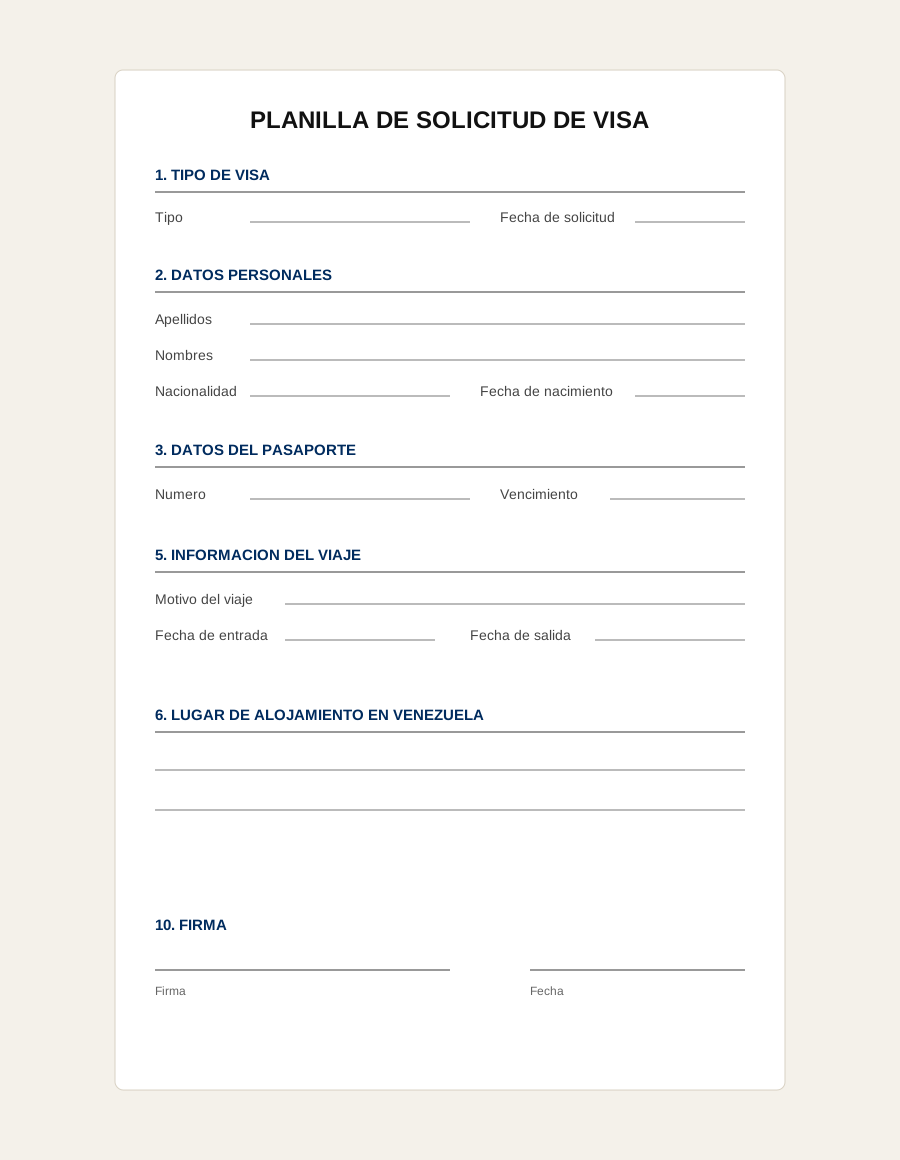
What the planilla de solicitud de visa is
The planilla groups your identity, passport, address, trip dates, lodging in Venezuela, and similar fields into numbered sections so a consular officer or the online portal can scan the file quickly. Wording can change when MPPRE updates forms, so compare your PDF to the latest instructions in the live portal if something looks different.
Who needs it
Use it whenever Cancillería Digital, an embassy, or a consulate asks for a planilla, visa application form, solicitud de visa, or MPPRE application form. Tourist and business applicants most often see it next to passport, itinerary, lodging, and proof-of-funds uploads.
What fields appear on the form
Expect sections for visa type, application date, full name, nationality, birth details, passport number and dates, home address, travel purpose, arrival and departure dates, airline or flight details, lodging in Venezuela, financial guarantor, local contact, prior visits, and signature.
How to fill it in English and print Spanish labels
Gather your passport scan, itinerary, hotel or invitation letter, and the other items your visa class requires before you sit down to type the planilla because you will copy those details in.
Use a desktop browser. Fill the fields, then choose Print -> Save as PDF in Chrome, Edge, or Safari. Upload that PDF where the portal asks for the planilla attachment.
Common mistakes to avoid
Match your passport exactly: names, passport number, nationality, and dates should not drift from your scan. Do not leave obvious fields blank, choose the right visa type, and make lodging and travel dates line up with the reservation documents you upload.
Related documents
Most tourist and business files also need a declaración jurada (short sworn statement in Spanish). The full visa application guide (2026) walks the online process end-to-end.
FAQ
What is the planilla de solicitud de visa?
The planilla de solicitud de visa is the structured Venezuela visa application form that collects your identity, passport, travel, lodging, contact, and signature details. Applicants upload or present it when Cancillería Digital or a Venezuelan consulate asks for the visa application form.
How do I fill out the Venezuela visa application form?
Copy the details exactly from your passport and supporting documents, then print or save the completed form as a PDF. Our generator lets you type with English prompts while the printable PDF uses Spanish field labels.
Is this an official Venezuelan government form?
No. Caracas Research provides an independent preparation aid that mirrors the information travelers are commonly asked to provide. Always verify the current official Cancillería Digital or consulate instructions before uploading.